FOR INDIAN CREDIT CARDS

See what you've spent this month, across every card.

Your bank emails you each time you use a card. Card Spend adds those emails up as they arrive, so you get one total, where it went, and what each card's next bill will be.

Get the beta on TestFlight How it works
Free while in beta. iPhone only for now.
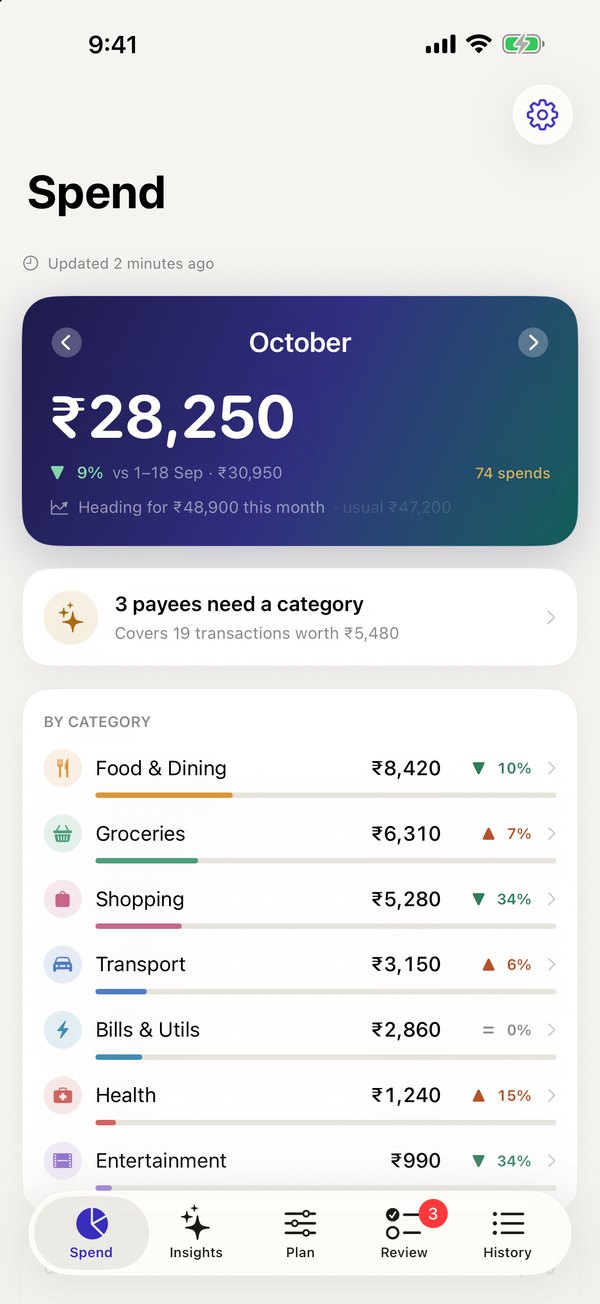
The Spend screen: this month's total across four cards, by category

How it works

No bank login and no access to your mailbox. You forward the alerts; the app reads only those.

1

Install and sign up

The app gives you a private address that only you know, a bit like a PO box for your card alerts.

2

Set up a Gmail filter

Once, on a laptop. We email you a guide with a picture for every click. It takes about five minutes.

3

Spend as usual

New spends show up within a minute. Forward your old alerts once if you want the months before you joined.

One number for the month

Every card's spends added up, compared with the same days last month. Tap a category to see each spend in it.

For each card: what's already billed, what's still unbilled, and when it's due. The app learns each card's billing date from its statements, so you don't have to enter it.
Spend tab

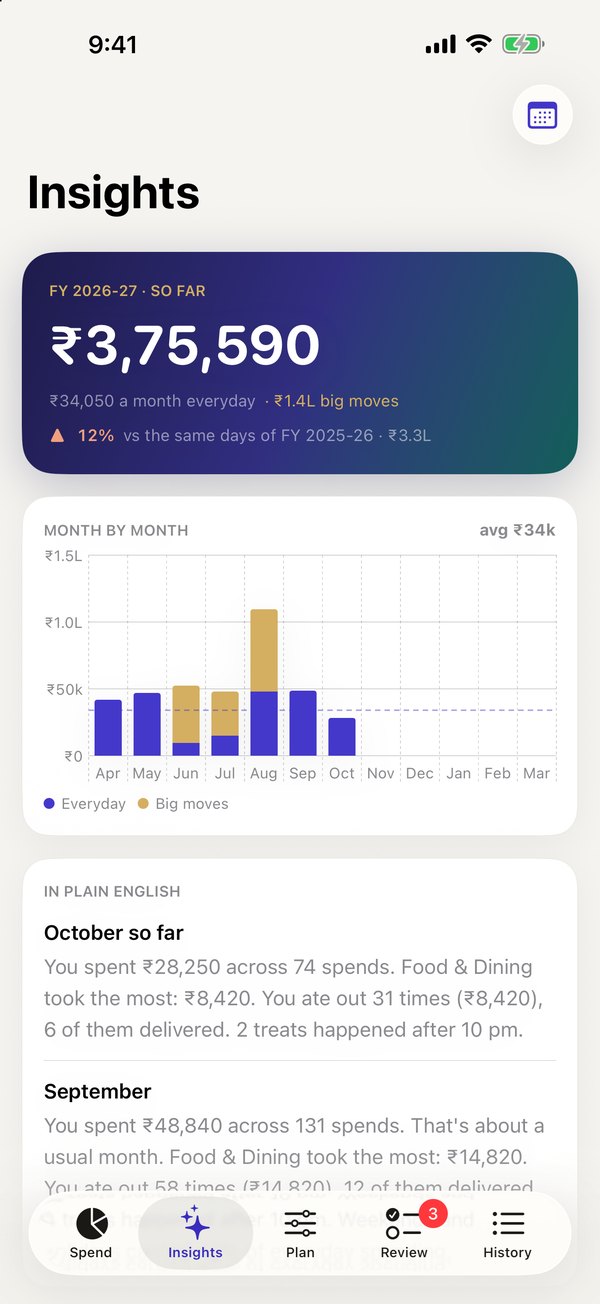
Your year, month by month

How this financial year has gone, with one-off big payments like insurance or a holiday kept apart, so they don't make a normal month look expensive.

Also: how often you eat out, and the hours and days when the small treats happen.

Insights tab

Which card to use for what

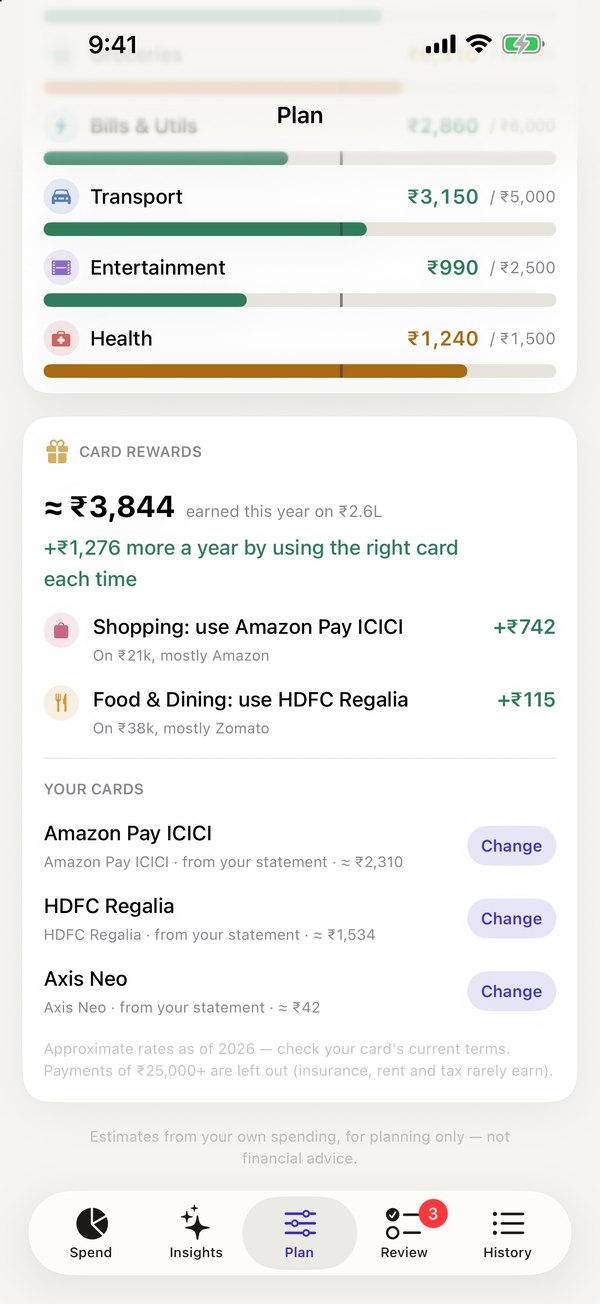
Rewards your cards earned on what you actually bought, next to what your best card for each category would have earned. It only compares cards you already have.

Rates are approximate and labelled so. The app works out which product each card is from your statement emails, and you can change it.

Card rewards in the Plan tab

UPI payees, named once

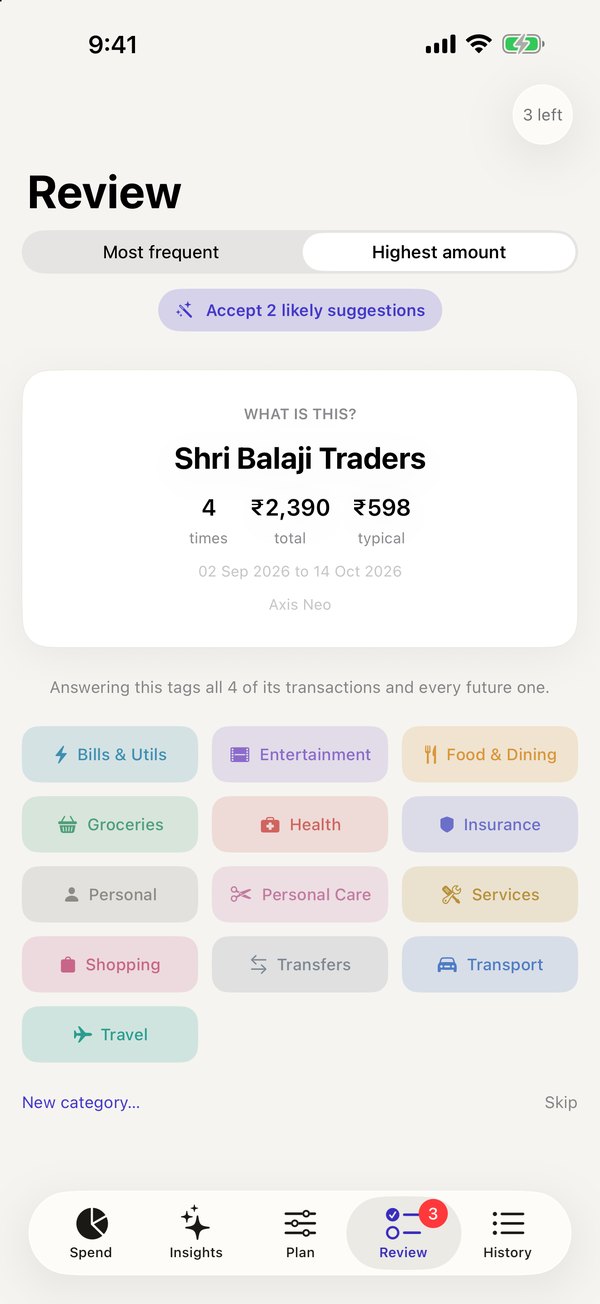
Alerts call payees things like "SATISH K" or "M22pk2iz4418a". No rule can guess what those are, so the app asks you, once per payee. Every past and future payment to them follows.

When a pattern is clear, like the same fare morning and evening, it suggests a category and tells you why.

Review tab

Banks it reads today

Credit card alerts from these banks. More are added as people send us their alert formats.

ICICIHDFCAxis IndusIndKotakAU Amazon Pay ICICIICICI FASTag SBI, Amex, IDFC FIRST: coming

Optional: UPI and net-banking payments from ICICI and HDFC savings accounts. Off by default. Card bill payments and transfers between your own accounts are never counted as spending.

What we see, and what we don't

We never sign in to your email

Your Gmail filter decides what's forwarded, and it only matches bank senders. The rest of your inbox never reaches us.

The email is deleted within 12 hours

We keep the amount, date, payee, last four digits of the card and the category. Not the email.

No bank login, no SMS access

Card Spend can't see your bank account and can't move money. It only knows what your bank emailed you.

Delete everything in one tap

Settings → Delete account removes your account and every spend. No ads, and we don't sell or share your data.

Full details in the privacy policy.

Questions

I don't use Gmail. Does it work with Outlook or iCloud Mail?

Not yet. Outlook and iCloud can forward mail by rule too, and we're working on support for both. Write to us and we'll tell you when it's ready.

Why not just read my SMS?

iPhone apps can't read your messages. Bank emails carry the same details, and Gmail can forward them automatically.

Will it show spends from before I set it up?

Yes, if you want. The app shows a Gmail search for your past alerts; select them and use "Forward as attachment". You do this once.

A spend is missing.

Check that your bank emailed you about it. Some banks only send SMS for small amounts, and Card Spend can only count what arrives by email. If the email is there, see Help.

Does it cost anything?

It's free while in beta.

Android?

iPhone only for now.

Try it on your cards

Install TestFlight from the App Store, then open the beta link on your iPhone.

Get the beta on TestFlight